 PPTCompress
Why Copilot presentations grow so large
When Microsoft 365 Copilot generates a presentation from a prompt or converts an existing Word document, it automatically inserts illustrations and stock photographs to match each slide. These images come from Microsoft's stock photo library or image generation tools. Instead of downsampling the picture to fit the dimensions of the slide box, Copilot frequently embeds the image at its original high-resolution dimensions, often 4000 to 6000 pixels wide.
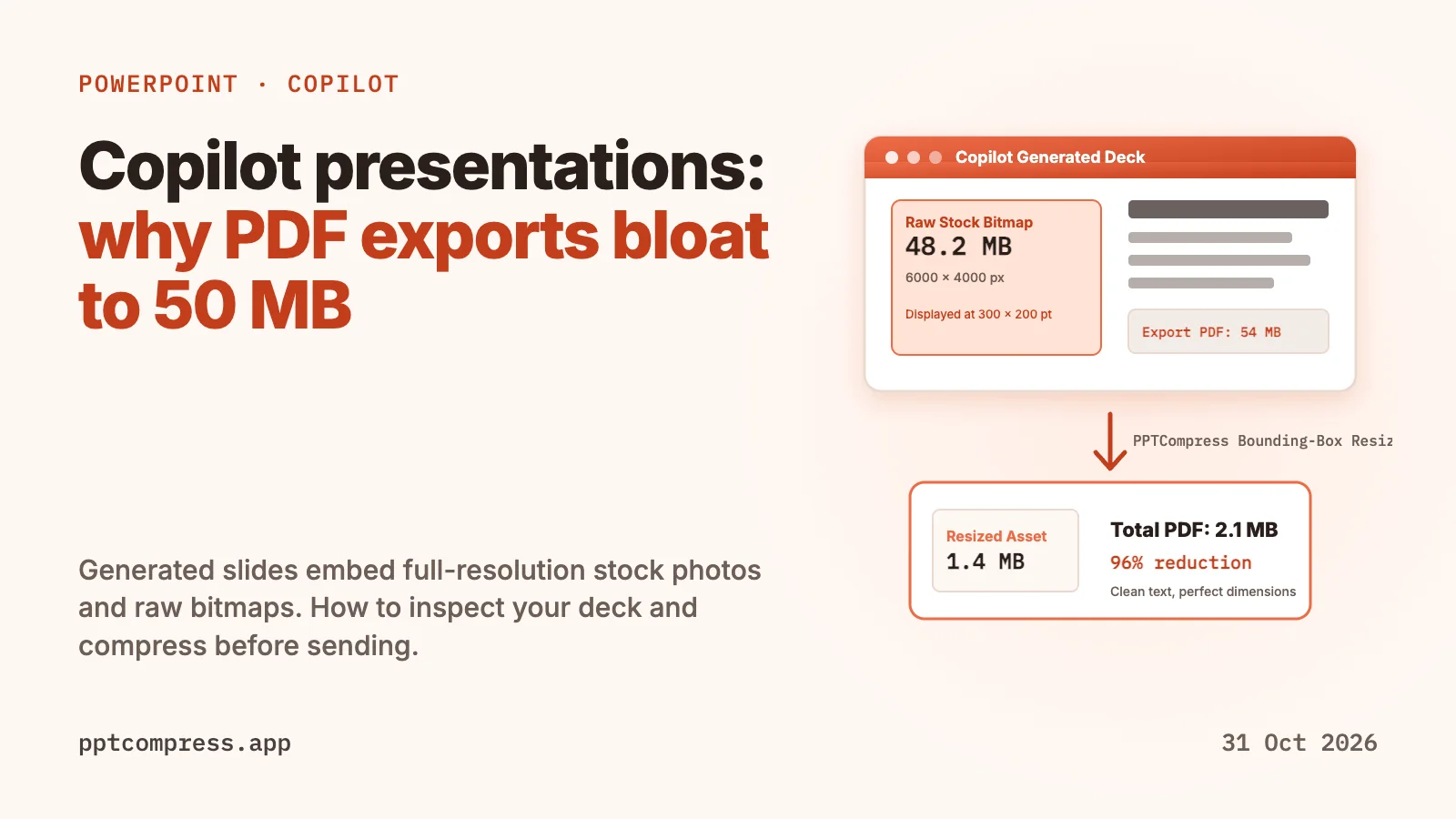
A slide that only requires a 300 by 200 point thumbnail ends up carrying a 5 MB to 12 MB raw bitmap. In a presentation with eight to fifteen slides, embedded media files quickly push the total .pptx archive past 40 MB or 60 MB, even though the visible layout appears modest.
What happens during PDF export
Exporting a bloated PowerPoint presentation to PDF often makes the file even larger. By default, PowerPoint's standard export engine translates slides into PDF page descriptions while embedding images at high DPI settings. If the presentation includes transparent PNG graphics or complex layouts generated by Copilot, the PDF export pipeline can duplicate rasterized fragments across pages.
The result is a PDF that exceeds 50 MB for a brief slide deck. Most corporate mail servers reject email attachments larger than 20 MB to 25 MB, causing delivery failures when sharing pitch decks or project updates with external partners.
How to inspect the assets inside your presentation
You can verify which assets are causing the file bloat without specialized software:
- Rename the file extension: Change the extension of your presentation from
.pptxto.zip. - Extract the archive: Open the zip file and navigate to the
ppt/mediafolder. - Sort by file size: Review the image files inside. Copilot-generated decks regularly reveal multiple raw JPEG or PNG files exceeding 8 MB each.
- Check dimensions: Compare the pixel dimensions of those files against the physical size of the picture on the slide. Most computer screens and projectors display slides at 1920 by 1080 pixels total.
Before you email or share your deck
- Check the file size in File Explorer or Finder before hitting send. If the .pptx is over 20 MB, review the media folder.
- Always export to PDF and check the resulting file size before attaching it to an email.
- Avoid taking screenshots of already compressed slides, which adds re-compression artifacts without solving underlying image weight.
- Keep an original uncompressed copy of your master presentation in case you need ultra-high-resolution printing later.
Where PPTCompress fits
PPTCompress solves asset bloat by measuring the bounding box each image occupies on the slide. It calculates the exact pixel resolution required for clean display, resizes oversized bitmaps, and evaluates whether JPEG or PNG yields the smaller file size. Vector graphics and fonts remain untouched.
On 21 October 2026, real presentation decks benchmarked on PPTCompress shrank 90% to 98% with the Email preset (for example, a 19.9 MB deck became 1.7 MB, and a 52 MB deck became 4.0 MB). For PDF exports, image-heavy documents shrank 87% to 98%. The tool shows estimated size reductions before altering any file, and if an asset cannot be shrunk cleanly, the original is preserved.
Compress a PowerPoint Compress a PDF
Checked on 31 October 2026. PowerPoint, Microsoft 365, and Copilot are trademarks of Microsoft Corporation. PPTCompress is not affiliated with Microsoft. Spotted something out of date? Write to [email protected] and we will correct it.
Questions
Why are Copilot-generated PowerPoint files so big?
Copilot embeds full-resolution stock photos and generated artwork directly into the presentation archive without downsampling them to match the physical box on the slide. A few high-res images can quickly bloat a deck past 40 MB.
Does exporting to PDF reduce Copilot presentation size?
Usually no. Unless explicit downsampling settings are applied, PowerPoint embeds high-DPI versions of the images into the PDF. In many cases, the exported PDF is larger than the original .pptx file, often reaching 50 MB or more.
Will compressing the presentation blur the text or charts?
No. PPTCompress only resizes embedded bitmap pictures to match their display box. Text, vector shapes, smart art, and fonts are preserved as native vector elements.
What is the best way to shrink a Copilot presentation before emailing?
Use PPTCompress to resize embedded media to target display resolution, or compress the exported PDF directly. Check that the final file is under standard 20 MB email limits before sending.